Medical Spa Management
Medical Spa Software: What Clinic Owners Should Look For
How to evaluate med spa software: scheduling, records, forms and consent, staff permissions, payments, reporting, privacy, and questions to ask vendors.
Key takeaways
- Start from your clinic's workflows and must-haves, not from a vendor's feature list.
- Client records, consent, and staff permissions matter as much as the calendar.
- Ask where data is stored, who can see it, and how you'd get it back if you leave.
- Run a real trial with your own services, your team, and a few realistic scenarios.
Choosing software for a medical spa is a bigger decision than it first appears. The system you pick will hold your client records, shape how your front desk works, and sit between you and every payment. Switching later is possible, but it's disruptive — so it's worth evaluating carefully the first time.
This guide sets out what to look for, the questions to ask, and how to run a trial that tells you something useful. It's written to help you compare any product, including ours.
Begin with your own requirements
Before you look at demos, write down how your clinic actually runs. Vendors are good at showing features; only you know which ones matter.
Questions to answer first
- Which services do you offer, and which need consultations, multiple sessions, or follow-ups?
- How many practitioners, rooms, and devices need to be scheduled?
- Who on your team needs access, and what should each role be able to see?
- Which forms do clients complete — intake, medical history, consent — and when?
- How do you take payment today: at the desk, deposits, packages, memberships?
- Which tools must the new system work with: your website, accounting software, calendar, or email?
- What reports do you look at each week or month?
Sort the list into must-haves and nice-to-haves. A short list of genuine must-haves makes it much easier to rule products out quickly.
Core capabilities to evaluate
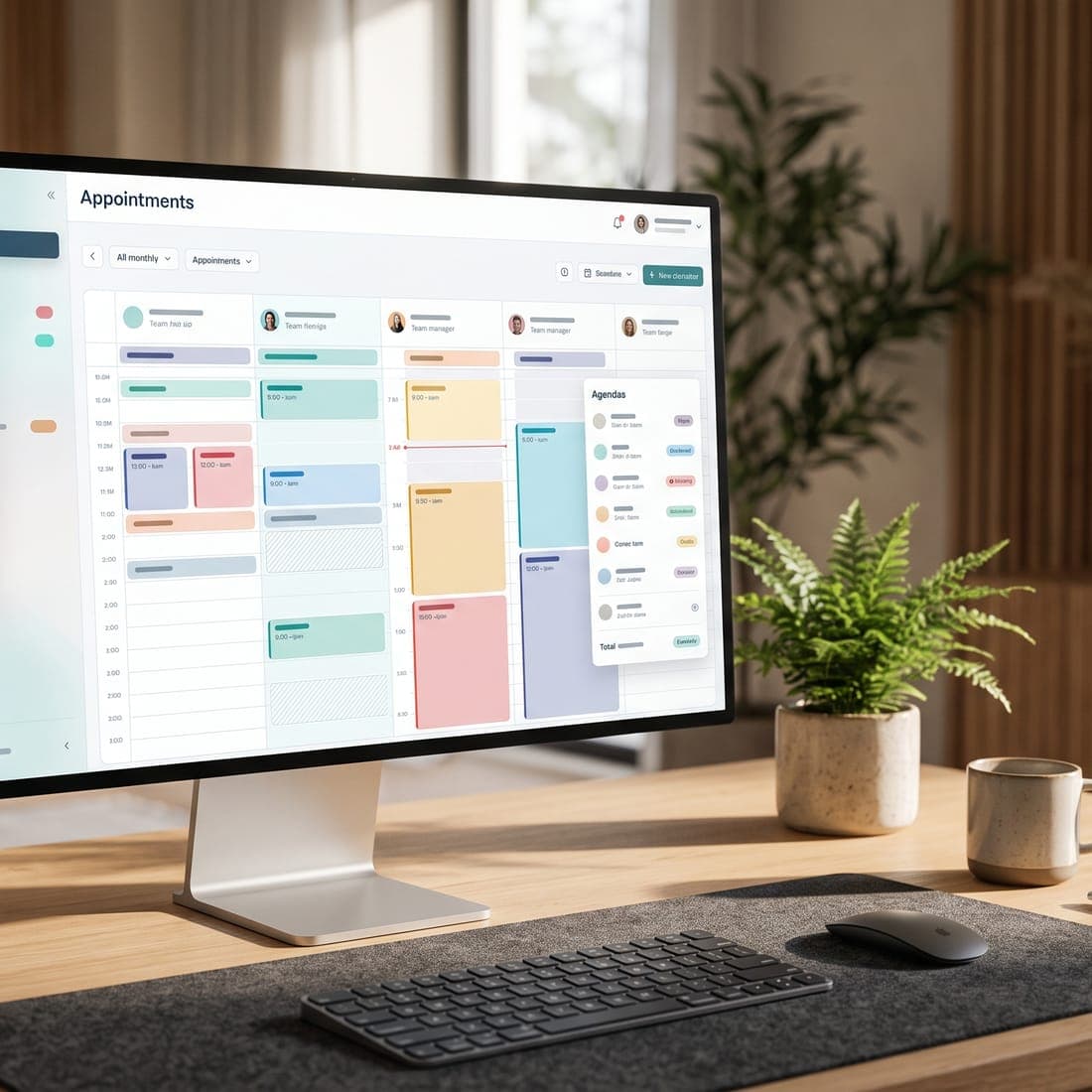
Scheduling and online booking
- Does the calendar handle practitioners, rooms, and services with different lengths?
- Can you set buffers, breaks, and services only certain practitioners may perform?
- Can clients book or request appointments online, and can you control what they see?
- Are reminders, confirmations, and waitlists built in, or are they extras?
Client records
- Is there one profile per client with contact details, visit history, forms, and notes?
- Can practitioners record treatment notes in a structured, consistent way?
- Are changes to records tracked, so you can see who changed what and when?
- Can you find a client quickly at the front desk without exposing their whole record?
Forms and consent
- Can clients complete intake and consent forms online before their visit?
- Are signed forms stored with the client's record, with the date and the version of the form they signed?
- Can you update a form without changing what earlier clients agreed to?
Staff roles and permissions
Not everyone needs to see everything. A receptionist may need the schedule and contact details but not clinical notes; a practitioner needs their clients' treatment history; an owner needs reports and billing. Look for role-based access that matches how your team works, and check that it's enforced throughout the product, not just hidden in the menu.
Payments
- Can you take deposits, partial payments, and payments at the desk?
- Does it support packages, memberships, and gift cards if you sell them?
- Who processes the card payments, and what are the processing fees?
- Does payment information stay with the payment processor, rather than in the clinic software?
Reporting
You should be able to answer basic questions without exporting to a spreadsheet: how many appointments were booked, completed, cancelled, and missed; which services and practitioners are busiest; and how revenue is trending. Ask to see the reports with realistic data, not an empty demo account.
Integrations
List the tools you already rely on and ask how each one connects. Common examples are website booking links, Google or Outlook calendars, accounting software, and automation tools. Where an integration exists, ask what it actually does — "integrates with" can mean anything from a full two-way sync to a link.
Privacy, security, and data ownership
Your clinic remains responsible for the personal information it collects, even when it's stored in someone else's software. Depending on how your clinic is set up and who provides care, Ontario's Personal Health Information Protection Act (PHIPA) (opens in a new tab) or the federal PIPEDA (opens in a new tab) may apply. Ask every vendor:
- Where is our data stored, and which subprocessors handle it?
- Is data encrypted in transit and at rest?
- Is two-step verification available for staff accounts?
- Is there an audit trail of who viewed or changed records?
- What happens to our data if we cancel, and in what format can we export it?
- How would you notify us of a security incident?
Questions to ask on a demo
- Can you show us a full appointment from booking to payment, using a service like ours?
- What does a practitioner see when they open a client's record? What does a receptionist see?
- Which features are available today, and which are planned? Is there a public roadmap?
- What's included in the price we've been quoted, and what costs extra (texts, AI usage, extra staff)?
- How long does setup take, and what help do you provide with importing existing data?
- What support is available, and during which hours?
Run a trial that tells you something
A trial is only useful if you test it with your real work. Set up a handful of your actual services, invite one or two team members, and walk through scenarios such as:
- A new client books a consultation, completes forms, and is booked for a follow-up treatment.
- A returning client buys a package and uses the first session.
- A client cancels late and the slot is offered to someone else.
- A receptionist and a practitioner each open the same client record — check what each can see.
- You run the month-end report you'd normally prepare by hand.
Watch out for
- Pricing that isn't clear about per-practitioner, per-message, or usage charges.
- Features shown in a demo that turn out to be on a roadmap.
- No way to export your data in a usable format.
- Generic tools stretched to fit a clinic, with no place for consent or treatment notes.
- Long contracts before you've been able to test the product properly.
Where MedClinora fits
MedClinora is built specifically for medical spas and aesthetics, laser, and skin clinics in Canada. We publish what's available and what's still planned on our features page, and our pricing page lists what each plan includes. If you're comparing options, a demo is the quickest way to see whether it suits your workflows.
Whichever product you choose, the best decision comes from a clear list of must-haves, honest answers about privacy and data ownership, and a trial run with real scenarios. If you're a small team, our guide to the essential software stack for a small aesthetics practice covers how to keep things lean.
Sources and further reading
General information only. This article is educational and isn’t legal, tax, financial, or clinical advice. Requirements depend on your province, your professional college, your role, and the treatments you offer — confirm them with the relevant regulator or a qualified adviser.