Medical Spa Management
Medical Spa Booking Software: A Guide for Ontario Clinics
What Ontario med spas should look for in booking software: practitioner availability, confirmations, reminders, waitlists, deposits, and HST.

Key takeaways
- Good booking software fits your services: consultations, treatments, and multi-session courses all book differently.
- Automatic confirmations and reminders do more to cut missed appointments than anything else in the booking flow.
- Rescheduling and waitlists matter as much as first bookings, because they protect the time you've already sold.
- For Ontario clinics, check Canadian-dollar pricing, HST on invoices, and support during Eastern-time hours.
For many Ontario med spas, booking is where the client experience starts and where a lot of staff time goes. Clients want to book in the evening without calling. Practitioners want a schedule that doesn't double-book them. The front desk wants fewer phone calls about moving appointments. The right medical spa booking software handles all three. This guide explains what to evaluate and the questions that matter most for clinics in Ontario.
If you've already chosen a system and want to set it up, our step-by-step guide to setting up online booking for a small aesthetics clinic covers the configuration.
Online booking and practitioner availability
Appointment scheduling software for medical spas has to reflect how your services actually work. A Botox treatment, a dermal filler consultation, and a laser session have different lengths, different preparation, and sometimes different practitioners. Check that you can:
- Set availability for each practitioner, including part-time hours and days off.
- Link services to the practitioners qualified to provide them.
- Add buffer time for cleaning, setup, or charting between appointments.
- Decide which services clients can book directly and which need a consultation first.
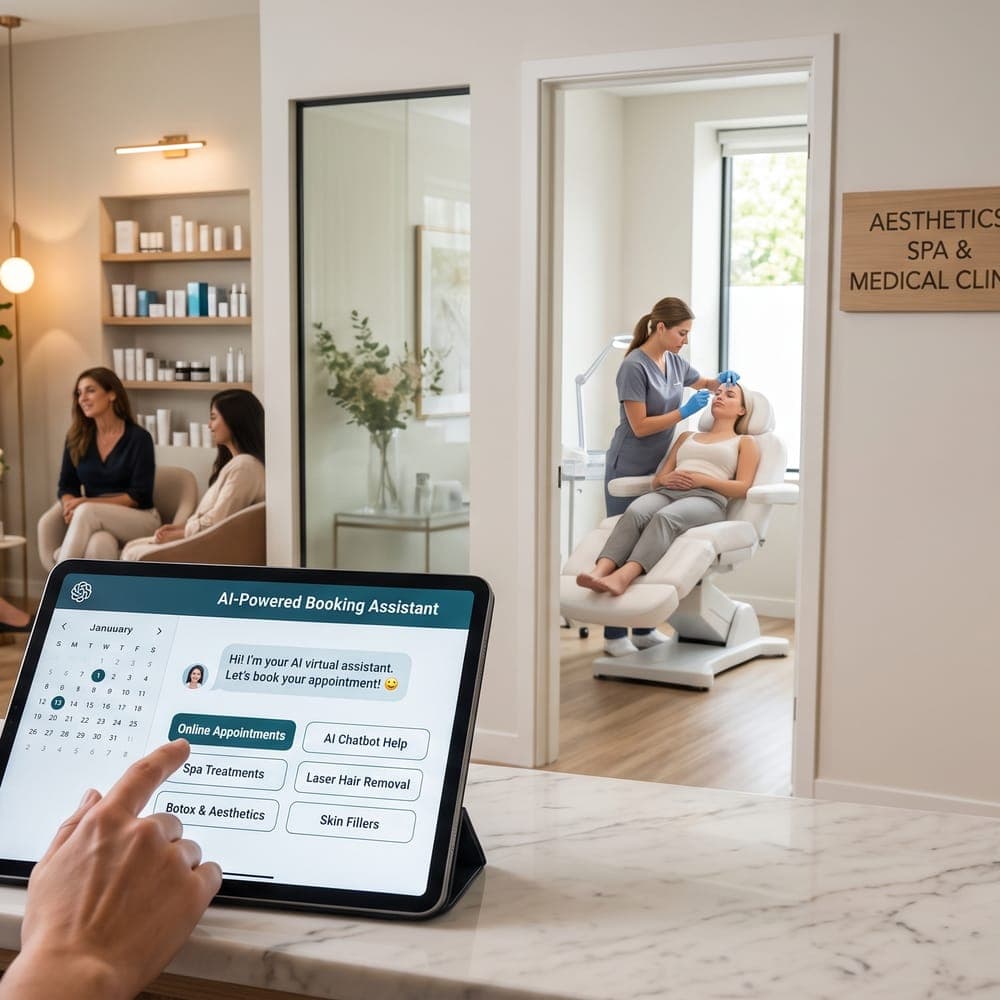
- Offer online booking through your website, a booking page, or a chat assistant.
Confirmations and reminders
Every booking should trigger a clear confirmation with the date, time, location, practitioner, and any preparation instructions. Reminders before the appointment give clients a chance to confirm, reschedule, or cancel in good time. Check which channels the software uses (email, SMS, or both), when reminders are sent, and whether the wording can be adjusted to your clinic's tone. Our guide on how to reduce no-shows at your medical spa explains how to build a reminder sequence.
Rescheduling, cancellations, and waitlists
Clients reschedule. What matters is whether your booking software makes it easy for them to tell you early, and easy for you to refill the time. Look at:
- Whether clients can move or cancel an appointment themselves, within the rules you set.
- How your cancellation policy is shown at booking and in reminders.
- Whether the software keeps a waitlist and offers freed-up times to waiting clients.
- How the front desk sees changes, so nobody is surprised by an empty chair.
A fair, clearly written policy helps everyone. Our cancellation policy template is a good starting point.
Deposits and payments
Some clinics take a deposit for longer or high-value appointments, or for clients with a history of missed visits. If you want to do this, check whether the booking software can request a deposit, how refunds and credits work, and how deposits appear on the client's invoice. Ask about payment processing fees separately from the subscription.
What Ontario clinic owners should check
Canadian-dollar pricing and HST
Canadian medical spa booking software priced in Canadian dollars makes budgeting simpler. Ontario clinics charging HST should check how tax rates are set up, how they appear on invoices, and whether the subscription price includes tax. Our guide to medical spa software pricing in Canada covers the full cost.
Eastern-time support and scheduling
Make sure appointment times, reminders, and support hours work in Eastern time. A reminder that arrives at the wrong hour, or support that's unavailable during your busiest morning, quickly becomes a problem.
Clients across Toronto and the GTA
Clinics in Toronto, Mississauga, Markham, Vaughan, and Brampton often see clients who commute or book around work. Evening and weekend online booking, clear location details, and reminders with parking or transit information can make a real difference. If your clinic is in the GTA, see how MedClinora works for med spas in Toronto and the GTA.
Booking software checklist for Ontario med spas
- Availability can be set per practitioner and per service.
- We choose which services clients can book online.
- Confirmations and reminders are sent automatically.
- Clients can reschedule or cancel within our policy.
- A waitlist helps refill cancelled appointments.
- Deposits can be requested where we need them.
- Pricing is in Canadian dollars and HST is handled correctly on invoices.
- Times, reminders, and support work in Eastern time.
Where MedClinora fits
MedClinora is clinic management software for med spas and aesthetics clinics in Ontario and across Canada. Clinics publish appointment times for each practitioner and service and schedule clients into them. Clients can book, move, or cancel through the AI booking assistant in the website chat. Automatic reminders go out by email or SMS, and the clinic payments feature lets you take deposits and payments. On the Growth plan and above, a smart waitlist offers freed-up times to waiting clients, and an embeddable booking widget puts booking on your own website.
To see how this fits an Ontario clinic, visit med spa software for Ontario, compare plans on the pricing page, or book a demo.
General information only. This article is educational and isn’t legal, tax, financial, or clinical advice. Requirements depend on your province, your professional college, your role, and the treatments you offer — confirm them with the relevant regulator or a qualified adviser.