Clinic Marketing and Growth
Medical Spa Website Checklist: What Turns Visitors Into Bookings
What a medical spa website needs to turn visitors into bookings: clear service pages, easy online booking, trust signals, and the advertising rules to follow.

Key takeaways
- Make booking the easiest thing to do on every page, especially on phones.
- Give each service its own clear page that answers the questions clients ask before booking.
- Build trust with accurate practitioner credentials, real photos, and transparent policies.
- Keep claims, photos, and testimonials within Health Canada and college advertising rules.
A clinic website has one main job: helping the right people book. Many med spa websites look beautiful but make visitors hunt for prices, practitioners, or a way to book. This checklist covers what a medical spa website needs to turn visitors into bookings, page by page, with the Canadian rules that apply along the way.
You don't need to rebuild your med spa website to use it. Work through each section, mark what's missing, and fix the gaps that stand between a visitor and an appointment first.
The first screen: clarity in five seconds
When someone lands on your homepage, they should immediately understand what you do, where you are, and how to book.
Homepage first screen
- A plain headline describing what you offer and where — for example, "Medical aesthetics and skin clinic in Oakville".
- A prominent "Book a consultation" button leading to real availability.
- Your phone number, tappable on mobile.
- A real photo of your clinic or team, not generic stock imagery.
- A short line on who treats clients, such as physicians, nurse practitioners, or registered nurses — accurately described.
Online booking that removes friction
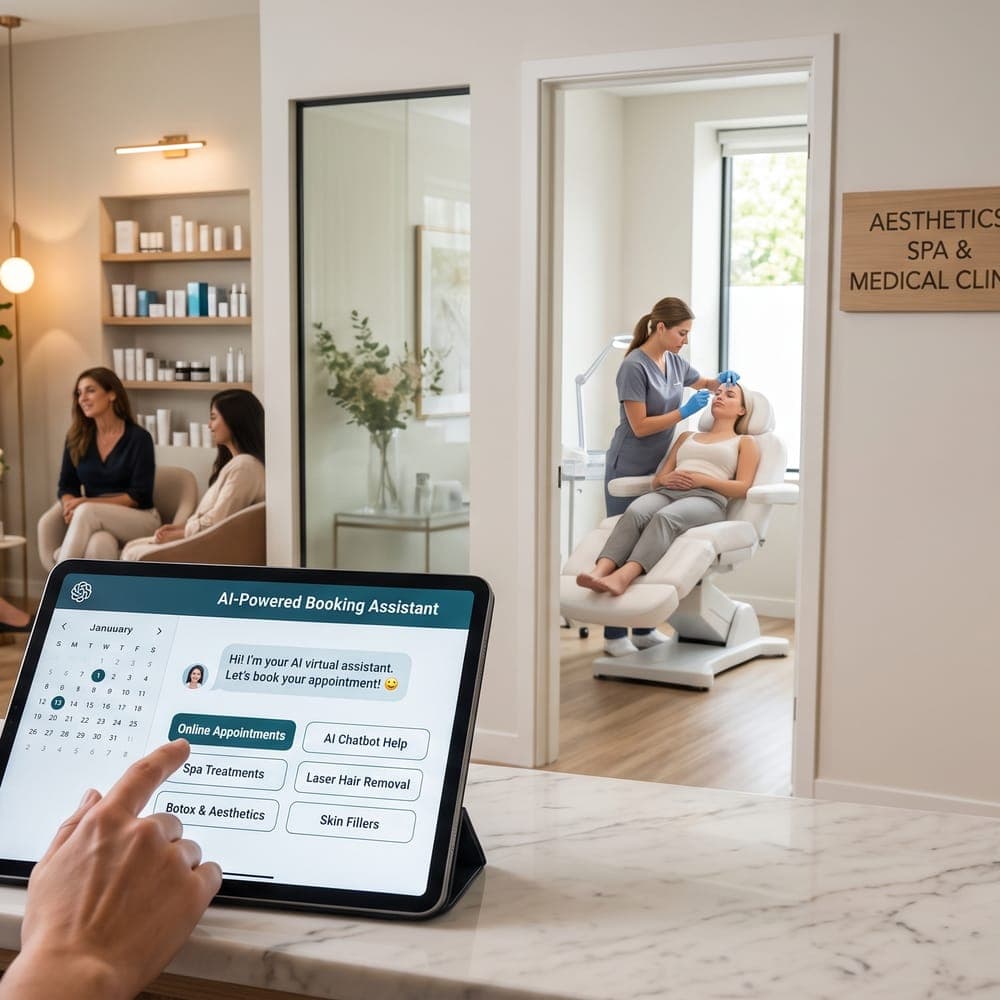
Every extra step between interest and appointment loses people. Online booking lets visitors book when they're ready, including evenings and weekends when your phone isn't answered.
- A booking button in the header that stays visible as visitors scroll.
- Booking links on every service page, preselecting that service where possible.
- Clear appointment types, especially the difference between a consultation and a treatment.
- Your cancellation and deposit policy shown before the client confirms.
- An immediate confirmation by email with date, time, address, and preparation notes.
For setup details, see setting up online booking for a small aesthetics clinic, and pair it with good reminders to reduce no-shows.
Service pages that answer real questions
Service pages do the most work on a med spa website, for clients and for search engines. Give each main service its own page.
What each service page should include
- What the service is, in plain language.
- Who may be a candidate, and that suitability is confirmed at consultation.
- What happens at the consultation and the appointment, and how long it takes.
- Typical number of sessions and spacing, where relevant, described in general terms.
- General preparation and aftercare information approved by your clinical lead.
- Pricing or a price range, where your college rules allow, with clear explanations of what's included.
- Who performs the service at your clinic.
- A booking button and a way to ask questions.
Trust signals clients look for
Choosing someone to treat your face is a trust decision. Visitors look for signs that your clinic is professional, safe, and honest.
- Practitioner profiles: names, professional designations, registration with their college, and relevant training — all accurate and current.
- Medical oversight: a plain explanation of how your clinic is supervised, where that applies.
- Real photos of your clinic, rooms, and team.
- Clear policies: cancellation, deposits, refunds, and privacy, each easy to find.
- Contact details and location: full address, map, parking and transit notes, and hours.
Before-and-after photos and testimonials need particular care. Some colleges restrict them in advertising, and any client photo needs documented consent for that specific use. Check the standards that apply to your profession, such as those of the CPSO (opens in a new tab) or the CNO (opens in a new tab).
Mobile, speed, and accessibility
Many visitors will find you on a phone. Google's SEO starter guide (opens in a new tab) emphasizes building pages for people, and a site that's hard to use on mobile loses bookings regardless of rankings.
Technical basics
- Text is readable without zooming, and buttons are easy to tap.
- Pages load reasonably quickly, with compressed images.
- The site uses https throughout.
- Images have descriptive alt text, colours have enough contrast, and the site can be navigated by keyboard.
- Forms have clear labels and helpful error messages.
- Each page has a descriptive title and meta description.
Accessibility helps every visitor, and organizations in Ontario may have obligations under the Accessibility for Ontarians with Disabilities Act depending on their size. The Web Content Accessibility Guidelines (WCAG) are a sensible standard to aim for either way.
Privacy and consent on your med spa website
- A clear privacy policy explaining what you collect, why, how it's stored, and how to contact your privacy officer. The Office of the Privacy Commissioner's overview of PIPEDA (opens in a new tab) explains the principles; Ontario health information custodians should also consider PHIPA.
- Contact and enquiry forms that collect only what you need — avoid asking for detailed health history in a general contact form.
- Newsletter sign-ups with a separate, unticked consent box, in line with CASL (opens in a new tab).
- Secure digital intake forms for health information, rather than email attachments.
Ways to convert visitors who aren't ready to book
Not every visitor is ready to book today. Give them a low-pressure next step:
- Website live chat for quick questions about hours, location, and how consultations work, with clinical questions handed to qualified staff.
- A consultation request form for people who want to talk first.
- Virtual consultations, where appropriate, for initial discussions.
- A newsletter sign-up for educational content, with clear consent.
- Gift cards for visitors buying for someone else.
MedClinora can supply several of these pieces: online booking, website live chat, digital forms, gift cards, virtual consultations through a connected video account, and a public clinic page with a clinic directory listing. See the features page or book a demo to see how they fit together.
Measure what your med spa website delivers
A website is never really finished. Check a few numbers each month to see whether changes are helping visitors book.
Monthly website check
- How many visitors start a booking, and how many complete one.
- Which service pages get the most visits — and whether those pages lead to bookings.
- Which searches bring people to your site, using Google Search Console.
- How many enquiries arrive through chat and forms, and how quickly they're answered.
- Whether any links, forms, or booking buttons are broken, especially on mobile.
- Whether prices, hours, team profiles, and policies are still accurate.
If many people start a booking but don't finish, look at the steps in between: too many questions, unclear appointment types, or a surprise deposit can all cause drop-off. Small fixes there often matter more than a redesign.
What pages should a medical spa website have?
At minimum: a homepage, a page for each main service, practitioner profiles, a pricing or fees page where your rules allow, policies (cancellation, privacy), a contact and location page, and online booking.
Should a med spa show prices on its website?
Clear pricing or price ranges reduce back-and-forth and build trust. Make sure prices are accurate and not misleading — for example, avoid "from" prices almost nobody pays — and check your college's advertising standards.
Can I put before-and-after photos on my med spa website?
It depends on your college's advertising rules. Where permitted, you need documented client consent for that specific use, consistent and unedited photos, and no promises of results.
How do I get more bookings from my clinic website?
Make booking visible on every page, give each service a clear page, show accurate practitioner credentials and real photos, and offer a low-pressure option like live chat or a consultation request for visitors who aren't ready.
A medical spa website that converts isn't about flashy design. It's clear, honest, easy to use on a phone, and makes booking the obvious next step. Work through this checklist one section at a time. Then read local SEO for medical spas to bring more of the right visitors to your site.
Sources and further reading
- Health Canada — Illegal marketing of prescription drugs (opens in a new tab)
- Google Search Central — SEO starter guide (opens in a new tab)
- Office of the Privacy Commissioner of Canada — PIPEDA (opens in a new tab)
- Innovation, Science and Economic Development Canada — Canada's anti-spam legislation (opens in a new tab)
- College of Physicians and Surgeons of Ontario (opens in a new tab)
- College of Nurses of Ontario (opens in a new tab)
General information only. This article is educational and isn’t legal, tax, financial, or clinical advice. Requirements depend on your province, your professional college, your role, and the treatments you offer — confirm them with the relevant regulator or a qualified adviser.