Medical Spa Management
Med Spa Software for Clinics With Multiple Practitioners
What a med spa with several practitioners needs from its software: schedules, roles and permissions, shared records, and team communication.
Key takeaways
- Adding a second or third practitioner changes what you need from scheduling, permissions, and records.
- Each practitioner needs their own availability and services, while the front desk needs one clear view of the day.
- Roles and permissions should match how responsibilities are actually split in your clinic.
- Check how the software counts practitioners and what each additional seat costs.
Software that works well for a solo injector can start to strain when a clinic adds a second nurse injector, a laser technician, or a part-time aesthetician. Calendars overlap, clients ask for a specific practitioner, and suddenly the question of who can see which records matters. This guide covers what med spa software should handle once your clinic has multiple practitioners, and what to check before you choose or upgrade.
What changes when you add practitioners
With one practitioner, the clinic's schedule and that person's schedule are the same thing. With several, you need to manage different working hours, different services, and different levels of responsibility. You also need a way for clients to choose a practitioner, or to let the clinic assign one, without double-booking anyone.
- Each practitioner offers a different set of treatments, based on their training and scope of practice.
- Working hours differ by person and by day, and change with holidays and training days.
- Some clients always book the same practitioner; others want the first available appointment.
- Rooms and devices may be shared between practitioners and need their own scheduling.
- More people need access to the system, and not all of them should see everything.
Scheduling several practitioners
Individual availability and services
Look for software that lets you set availability per practitioner and link each practitioner to the services they provide. A client who books a laser treatment should only be offered times with someone qualified to perform it. Check how easy it is to change one person's hours without affecting everyone else.
One view of the whole clinic
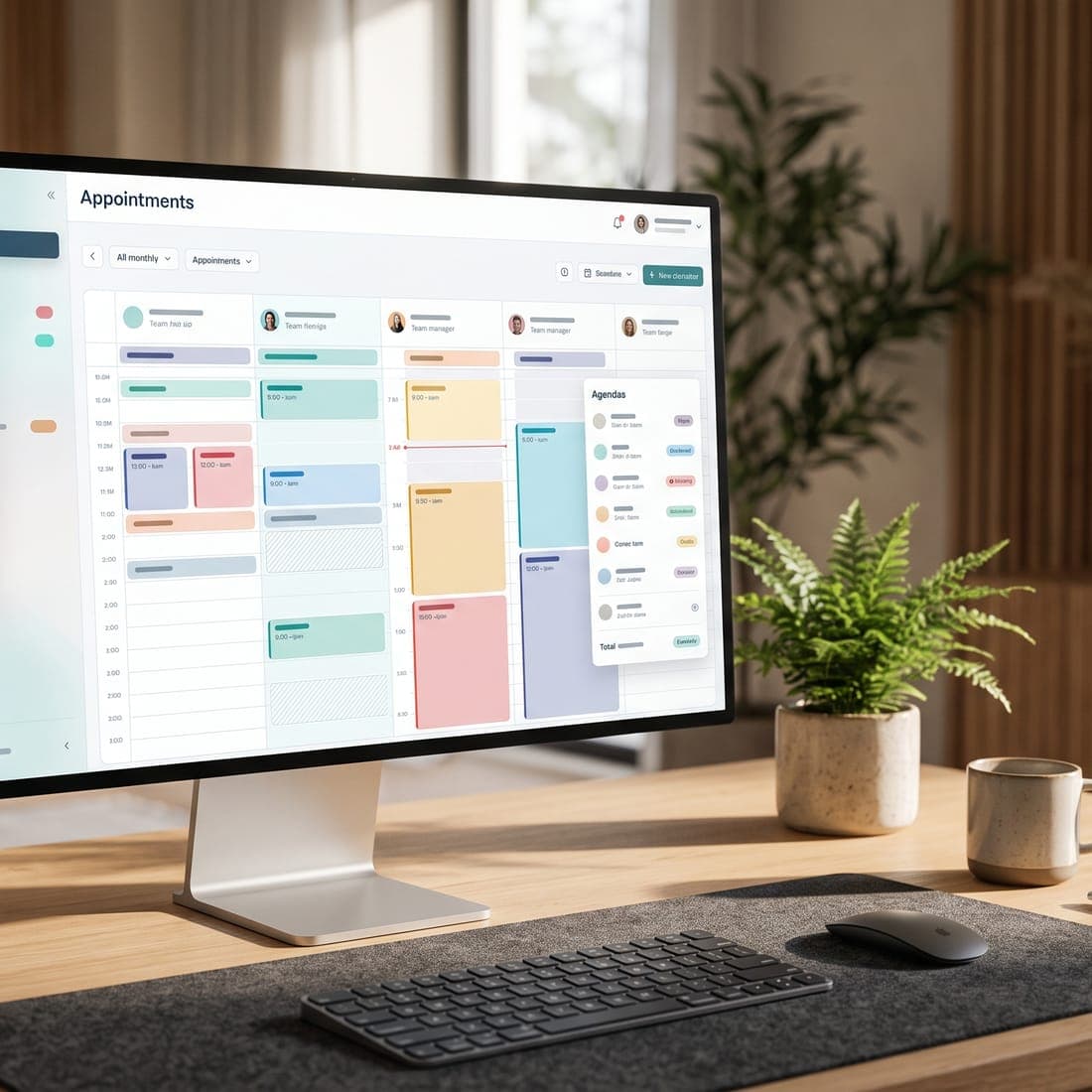
The front desk, or whoever manages bookings, needs to see every practitioner's day at once and move appointments between them when needed. Practitioners, meanwhile, often want a simple view of their own appointments. Ask whether the software offers both views and how quickly the front desk can find the next opening across the team.
Rooms, devices, and buffers
If two practitioners share a laser or a treatment room, the schedule needs to prevent clashes. Check whether the software can account for shared resources and for cleaning or setup time between clients. If it can't, decide how your team will manage those clashes outside the system.
Roles and permissions
A clinic with a team needs permissions that match real responsibilities. A receptionist may need to book, check clients in, and take payments without reading clinical notes. A practitioner needs treatment records for their own clients. A manager may need reports and team settings. The owner needs everything.
Questions to ask about permissions
- Which roles does the software offer, and can I see exactly what each role can do?
- Can front desk staff book and manage appointments without seeing clinical notes?
- Who can change prices, discounts, and clinic settings?
- How do I invite a new team member, and how do I remove access when someone leaves?
- Is there a record of who viewed or changed a client's information?
Shared records and continuity of care
When more than one practitioner treats the same client, records need to be complete and easy to read. A client who saw one injector in March and another in June should have one record showing both visits, the treatment notes, and any consent forms. Check that notes are attributed to the practitioner who wrote them and that the treatment history is easy to scan before an appointment.
Team communication
Messages from clients shouldn't depend on one person's phone or inbox. A shared inbox for website chat and messages lets the team see what's been answered and who is handling what. It also helps when a practitioner is busy with a client and someone else needs to reply.
Reporting for a growing clinic
Once you have several practitioners, the useful questions change: How full is each practitioner's schedule? Which services are booked most? Where do cancellations happen? Our guide to medical spa KPIs explains which measures to track. Check which reports the software includes on your plan.
Practitioner limits and pricing
Clinic software often prices by practitioner or sets a practitioner limit per plan. Ask how practitioners are counted, whether part-time staff count the same as full-time staff, and what an additional practitioner costs. Our guide to medical spa software pricing in Canada explains how to estimate the full cost as your team grows.
Multi-practitioner software checklist
- Availability and services can be set separately for each practitioner.
- The front desk can see every practitioner's schedule in one view.
- Clients can book a specific practitioner or the first available one.
- Roles limit access to clinical notes and financial settings.
- Each client has one record across all practitioners.
- The team can answer client messages from a shared inbox.
- Reports show how each practitioner's schedule is used.
- We know how practitioners are counted and what extras cost.
Where MedClinora fits
MedClinora is built for aesthetics clinics in Canada, from solo practitioners to clinics with several practitioners. Each clinic invites its team with a role, such as owner, manager, practitioner, or receptionist, and each role sees what it needs. You can publish appointment times per practitioner and service, keep one record per client with forms and treatment plans, and answer website chats together in a shared team inbox. Practitioner limits differ by plan, so check the pricing page for the current limits and costs.
If your clinic is in Ontario, see how MedClinora works for med spas in Ontario, or book a demo to walk through your own team setup.
General information only. This article is educational and isn’t legal, tax, financial, or clinical advice. Requirements depend on your province, your professional college, your role, and the treatments you offer — confirm them with the relevant regulator or a qualified adviser.